Free for Android · No ads

Track every rupee. Split every bill.

Espere logs your spending in two taps, reads the amount from a bill or payment screenshot, keeps you inside your budgets, and settles group trips with friends in the fewest payments.

  • Works offline
  • Scan or share bills
  • Open source
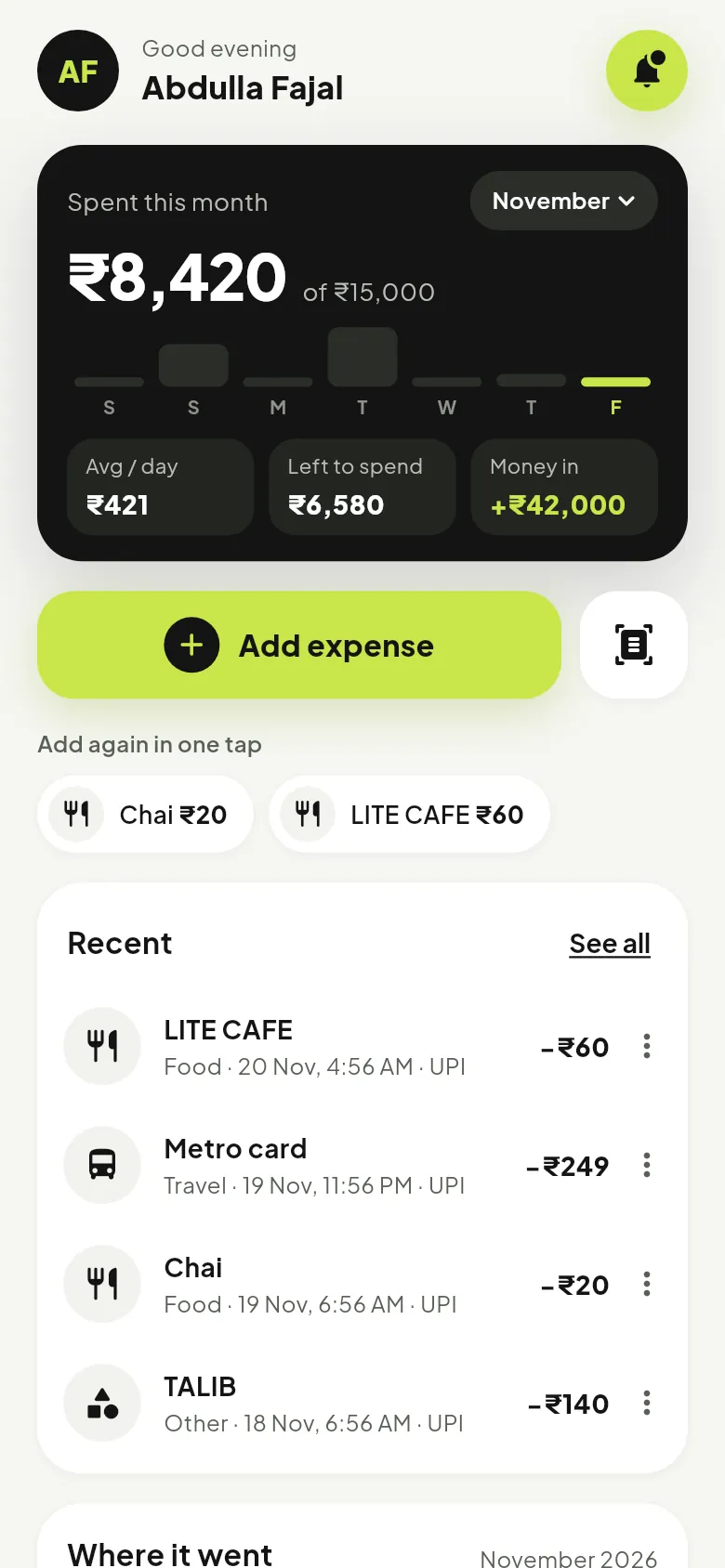
Espere home screen: spent this month, add expense and recent entries
Bill scanned₹60 at Lite Cafe added
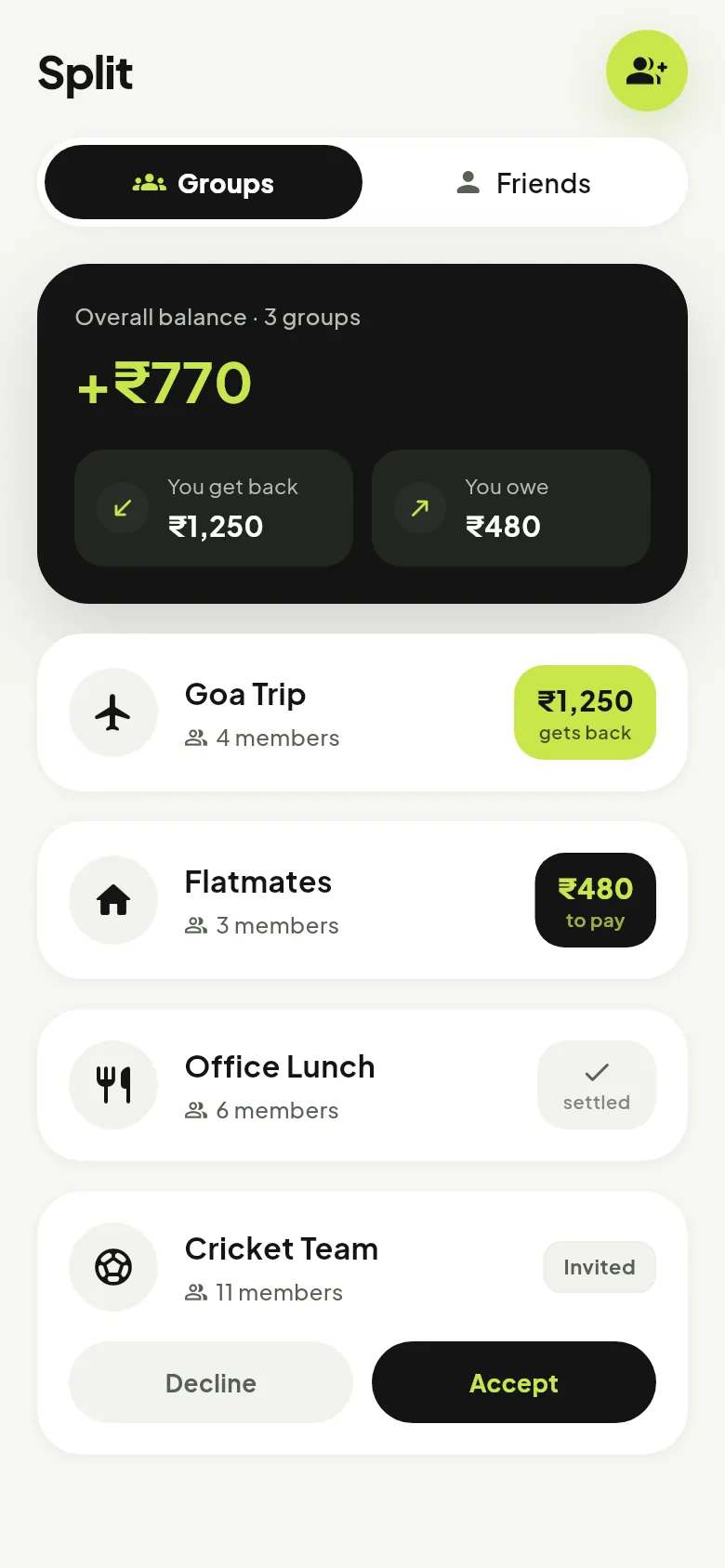
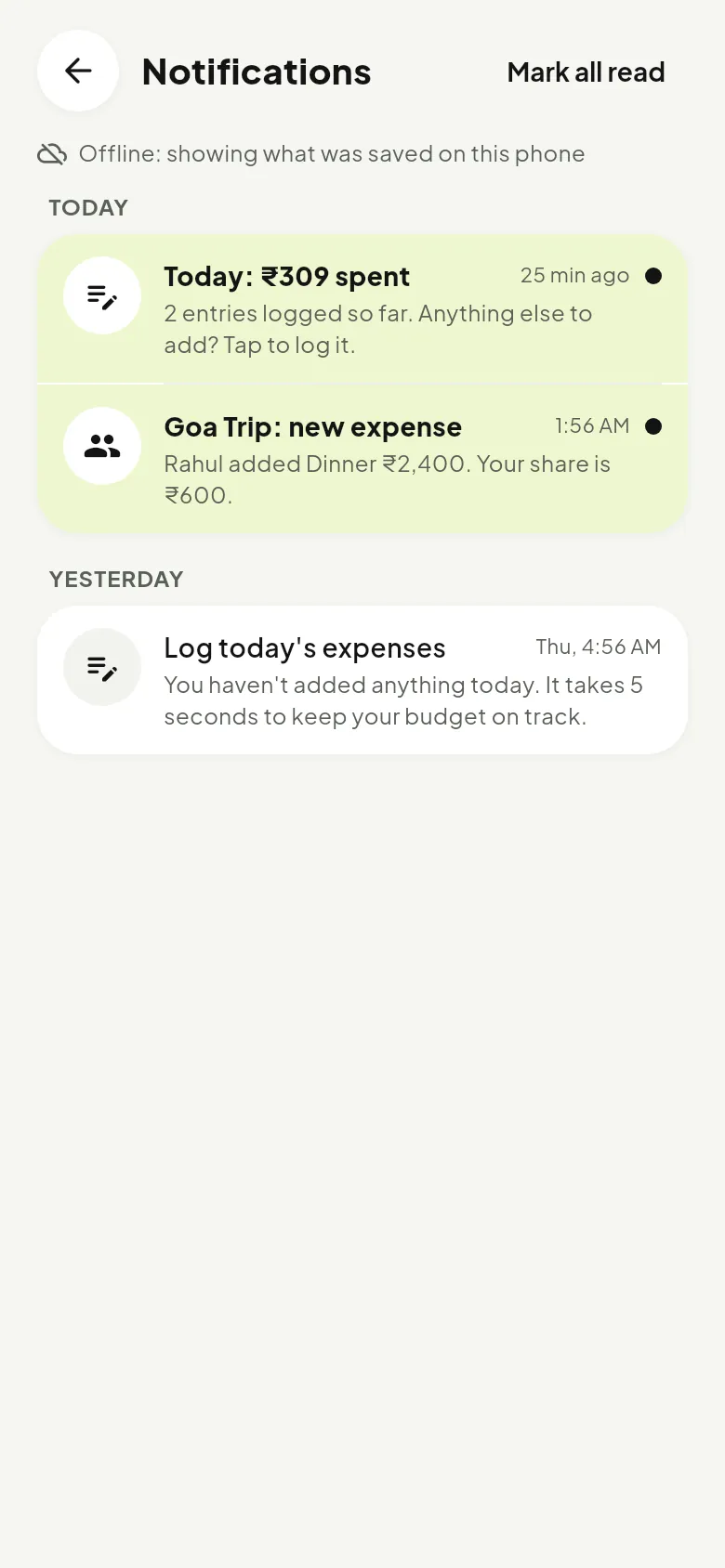
Goa TripYou get back ₹1,250
Log today’s expensesYour 9 PM reminder
Your money

Everything you spend, without the effort.

These are real screens from the app.

Add in seconds

Type it, scan it, or share it.

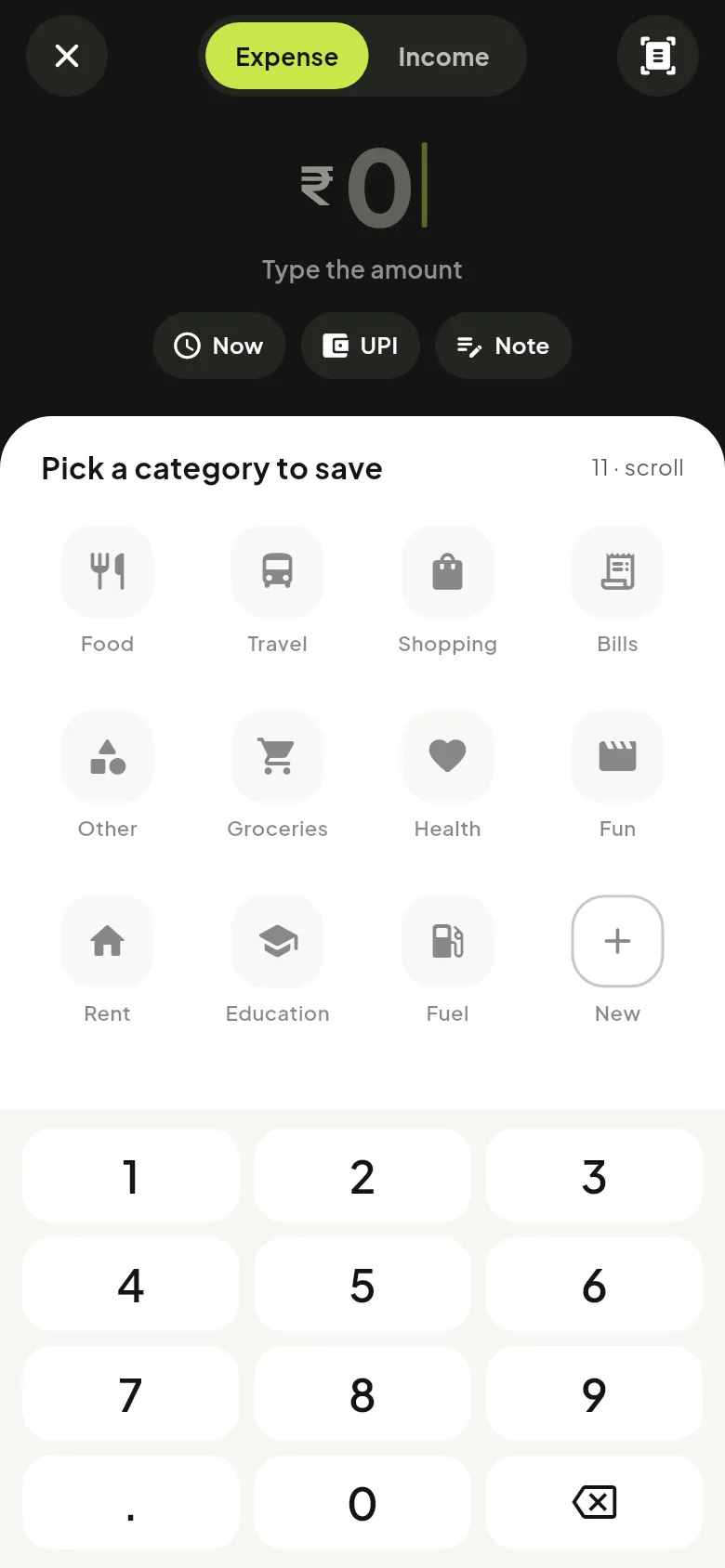
The add screen opens straight to a keypad, so logging a chai takes two taps. Got a bill or a payment screenshot? Scan it, or share it to Espere from any app, and the amount is read for you.

  • Big keypad, no forms to fill
  • Scan a bill, or share a payment screenshot
  • Categories you can make your own
  • Works offline, syncs later
Espere add expense screen with keypad and categories
Home

Your month at a glance.

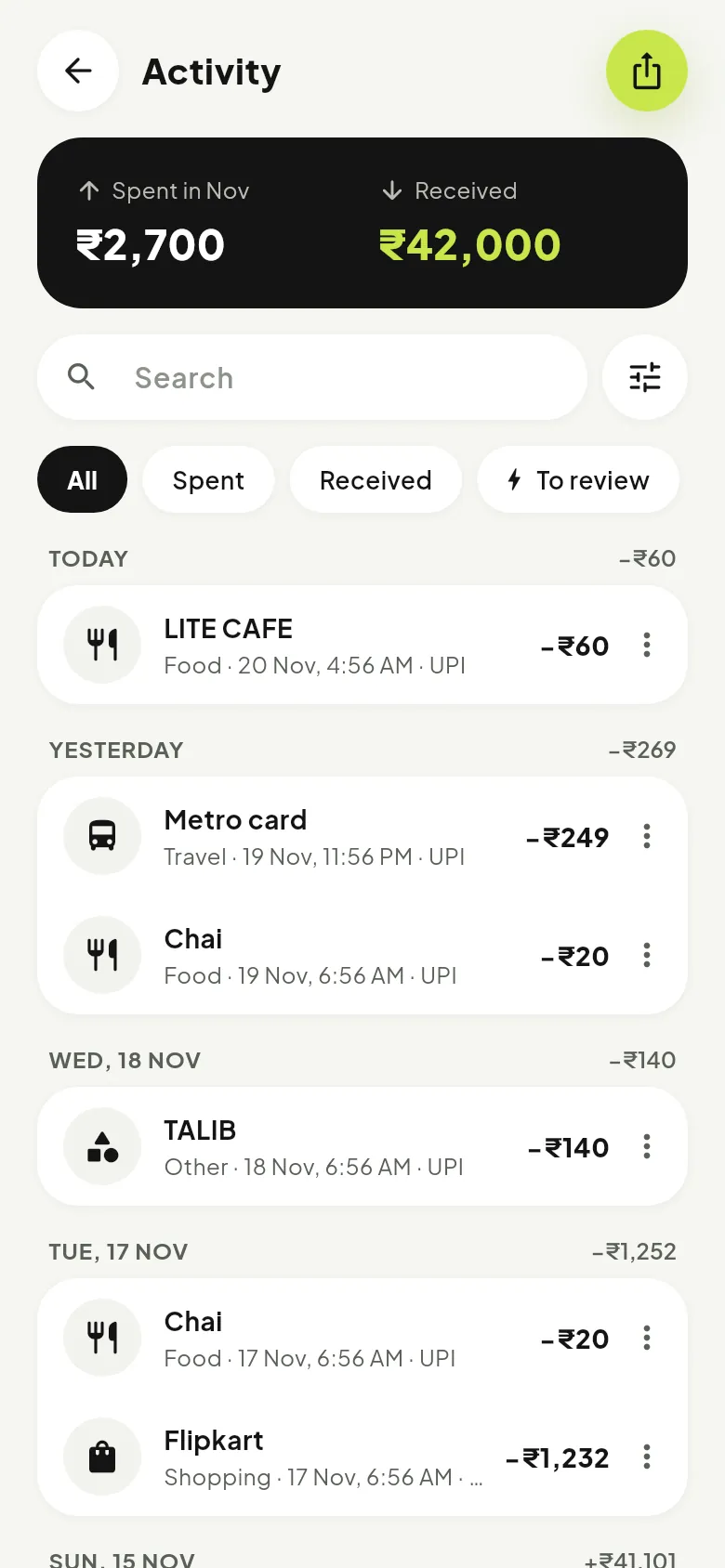
See what you spent this month, your daily average, what is left to spend and your recent entries, with one-tap repeats for the things you buy often.

  • Spent this month with a daily bar chart
  • Add again in one tap
  • Activity grouped by day, with search and filters
Espere activity list grouped by day
Budgets & reports

Know before you overspend.

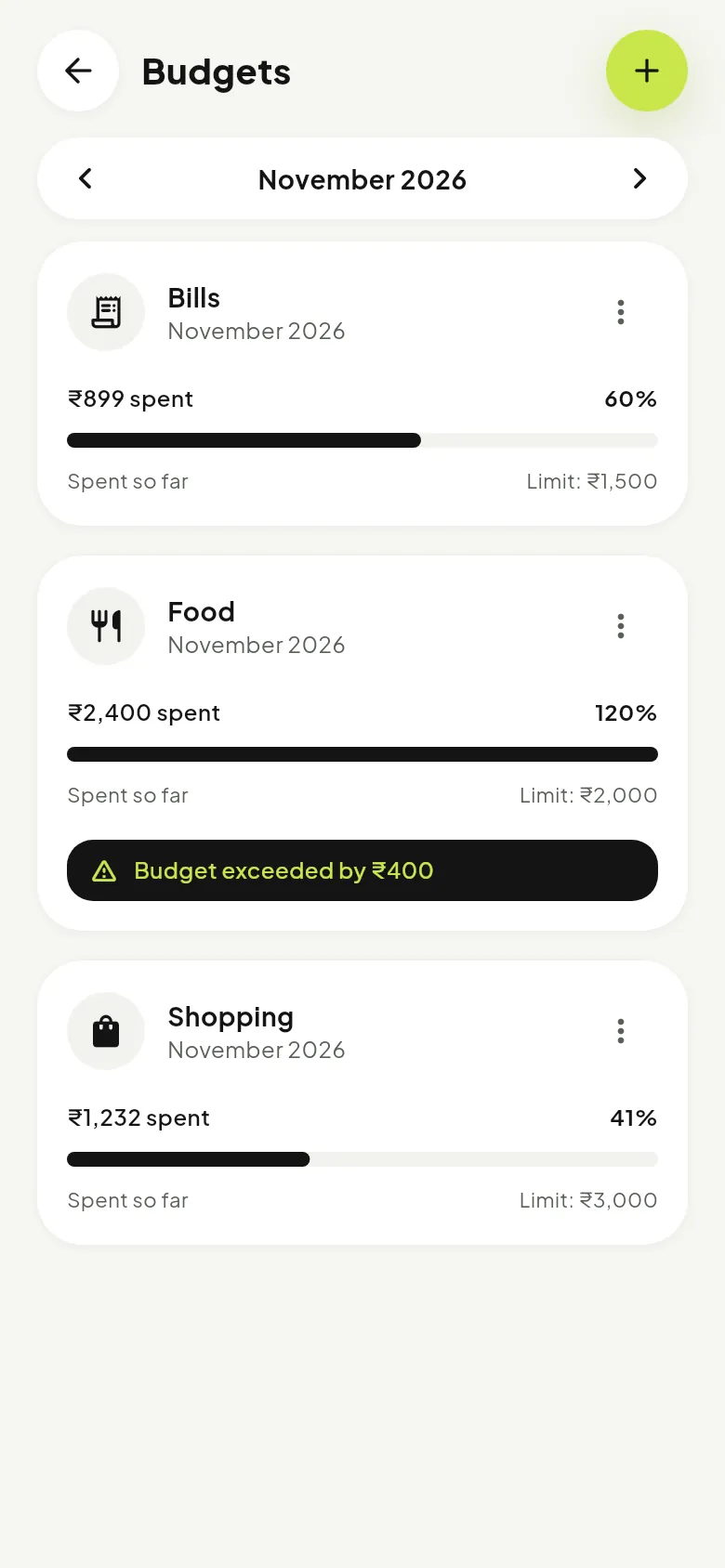
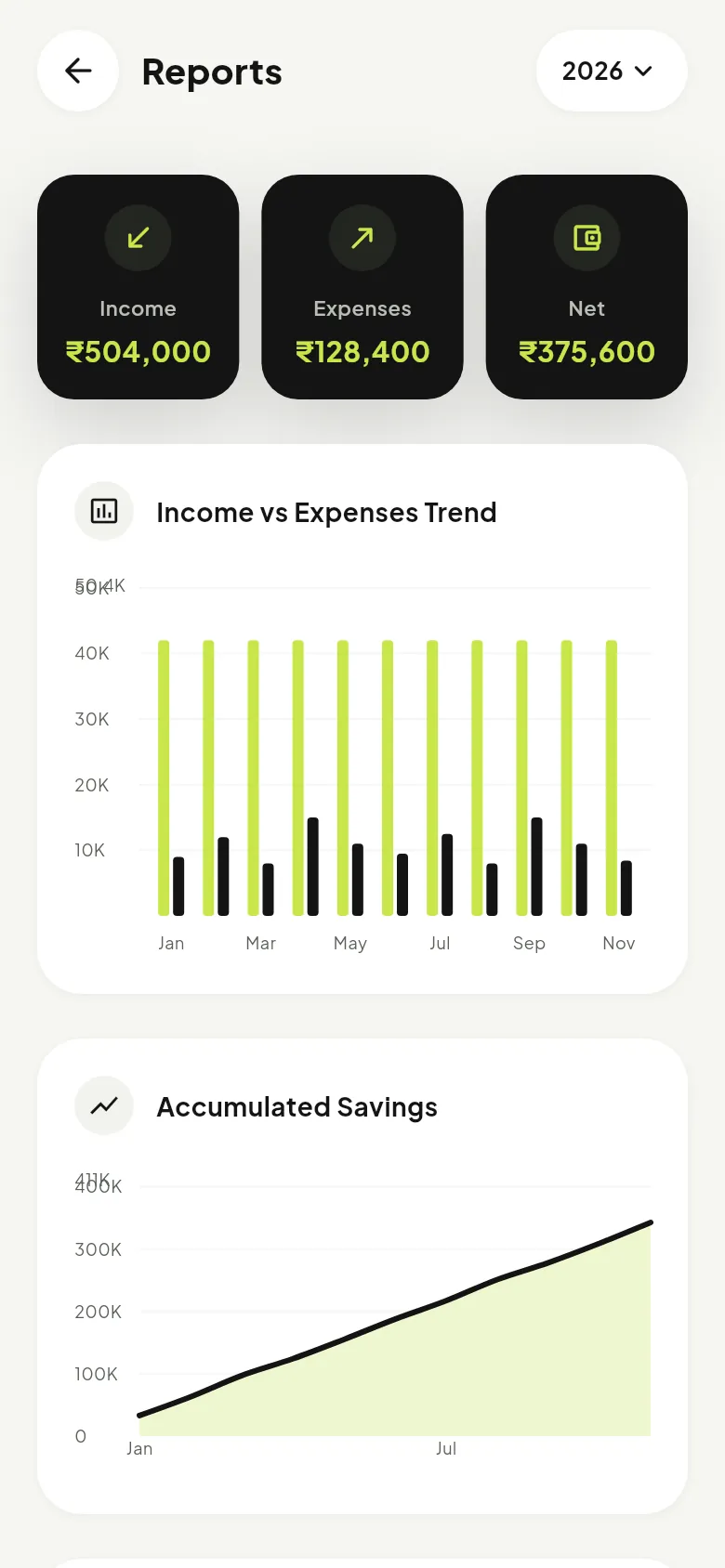
Set a monthly budget per category and watch it fill up. Reports show income against spending and how your savings grow over the year.

  • Budget bars that warn you before the limit
  • Income vs expenses, month by month
  • Export your data any time
Espere budgets screen with category limits
Split with friends

Trips, flats and dinners, settled.

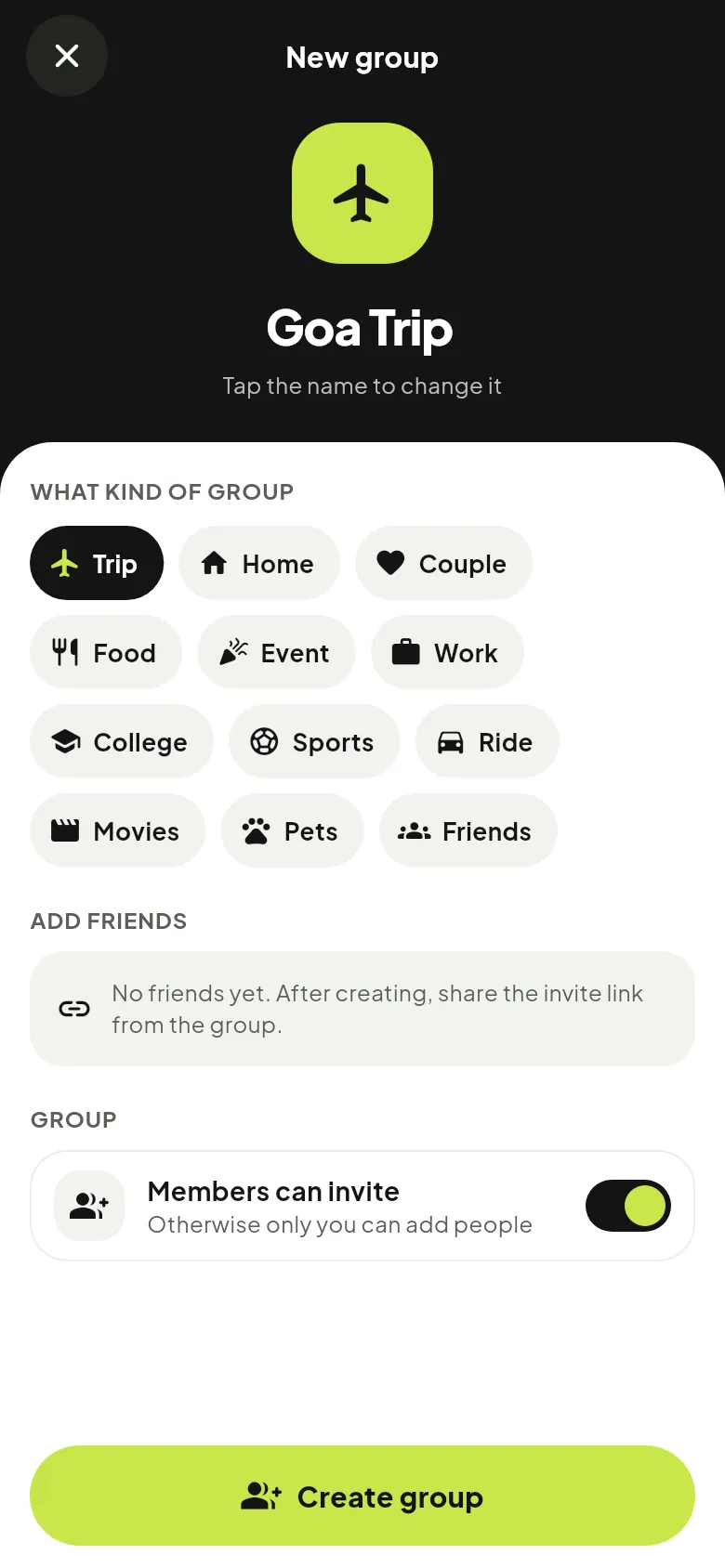
Make a group, add what each person paid, and Espere works out who owes whom.

Groups

One place for every trip, flat and dinner.

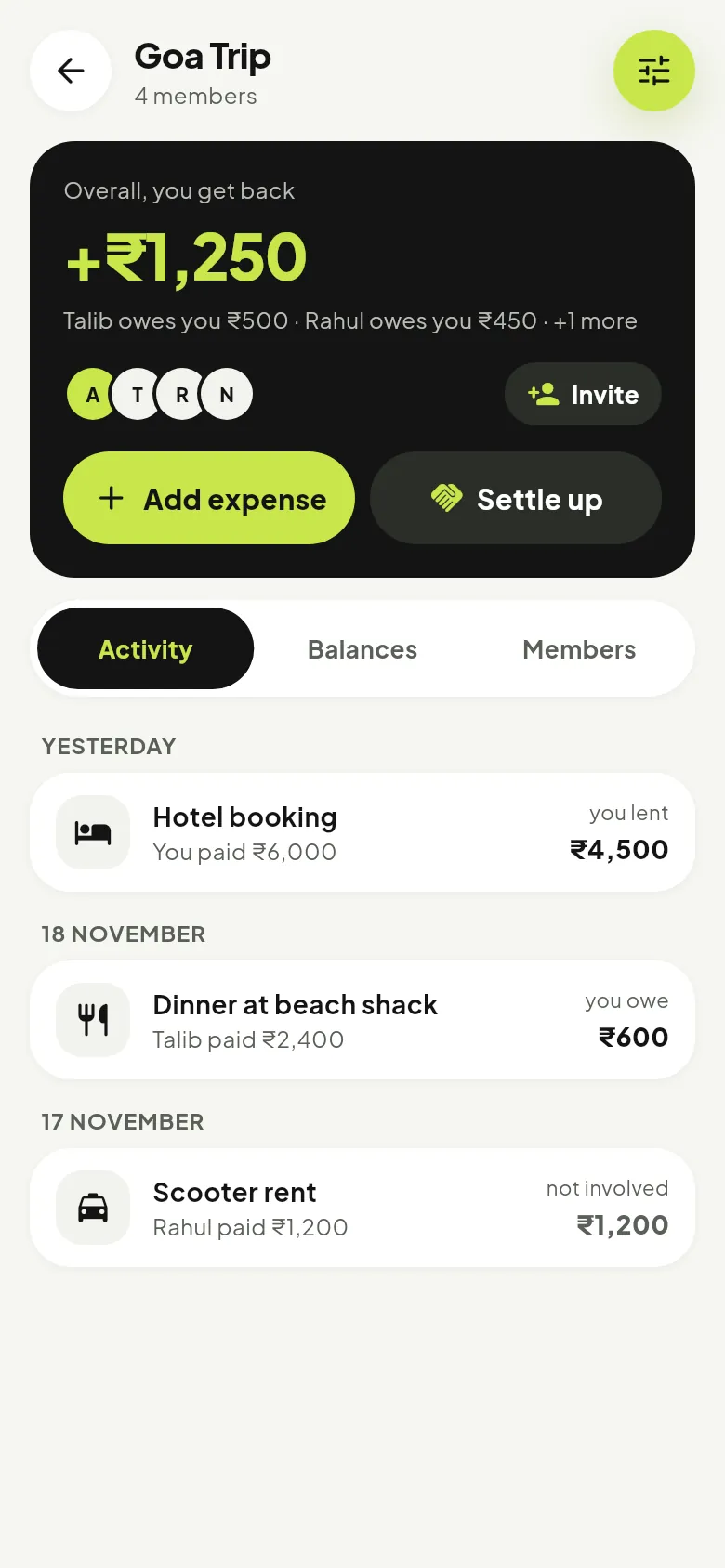
Each group shows what you get back or owe at the top, then every expense and payment, day by day. Add an expense or settle up straight from the card.

  • Overall balance for you, at a glance
  • Activity, Balances and Members tabs
  • Group settings for admins
Espere group page for Goa Trip
Split a bill

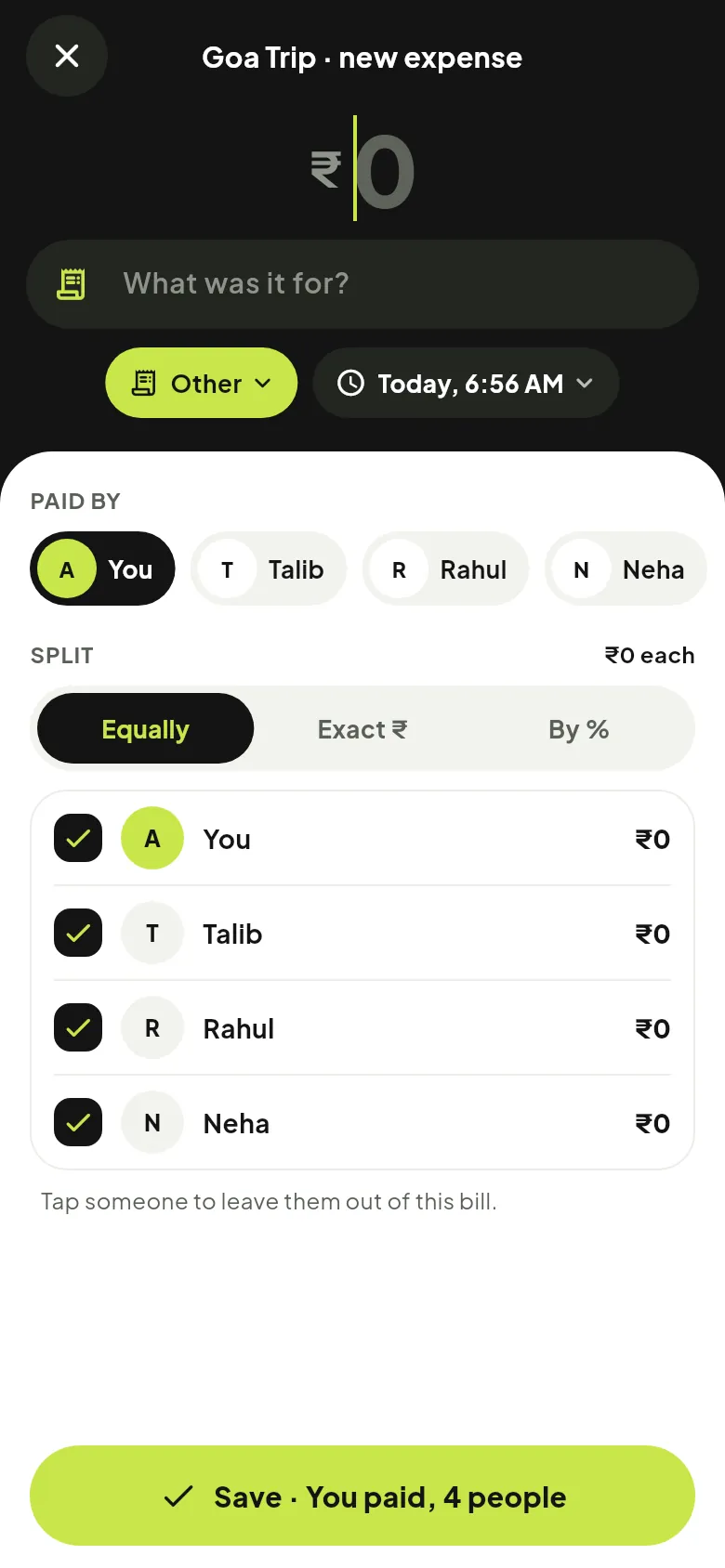
Split it equally, by exact amounts or by %.

Pick who paid, then split between everyone or tap someone to leave them out. Shares update as you type and always add up to the bill.

  • Anyone in the group can be the payer
  • Equally, Exact or By %, with live shares
  • Every share adds up to the last paisa
Espere add group expense screen
Settle up

Fewer payments. Friendly reminders.

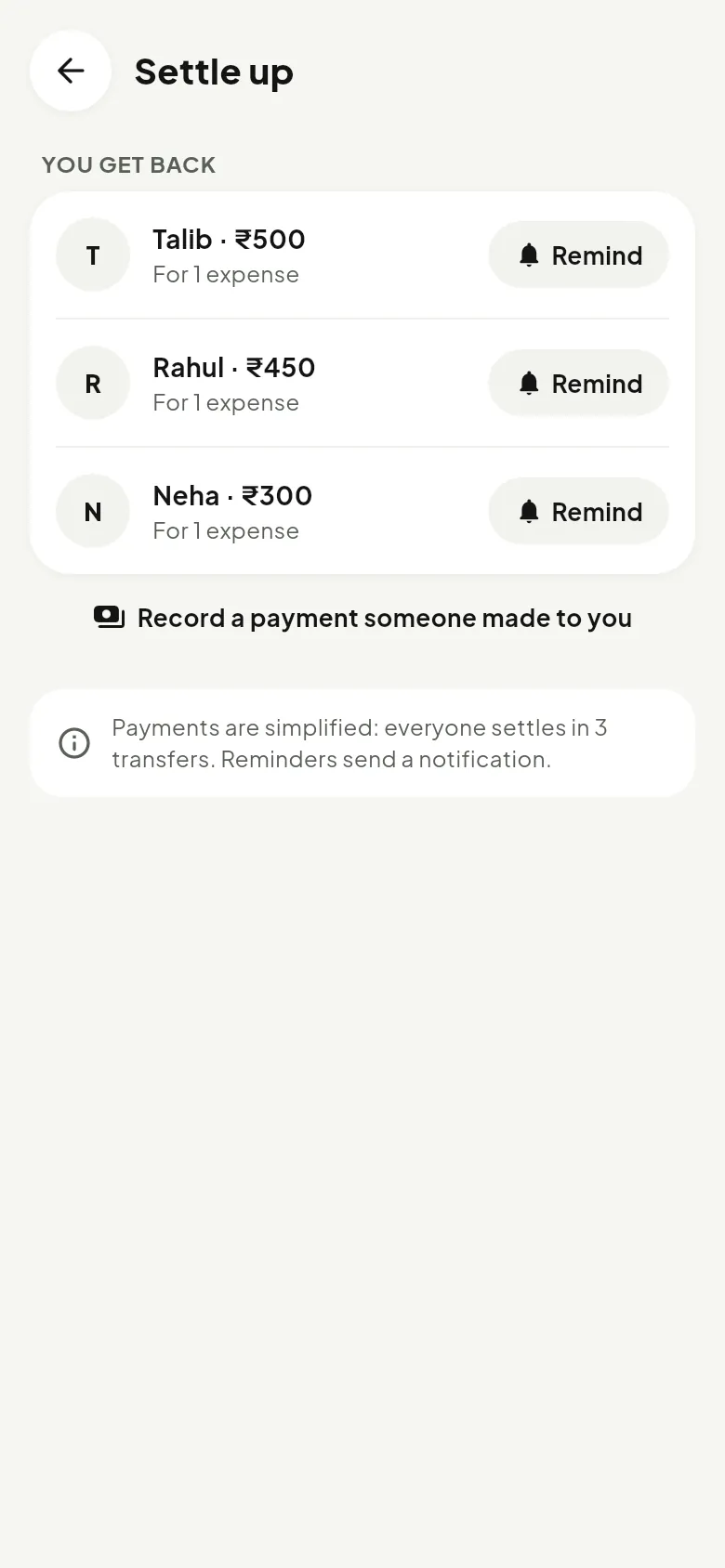
Espere simplifies who owes whom into the fewest transfers. Send a reminder with one tap, and mark a payment as received when it comes in.

  • Debts simplified automatically
  • One-tap reminders, sent as a notification
  • Record full or part payments
Espere settle up screen
Invite friends

Share a link. Or find them by name.

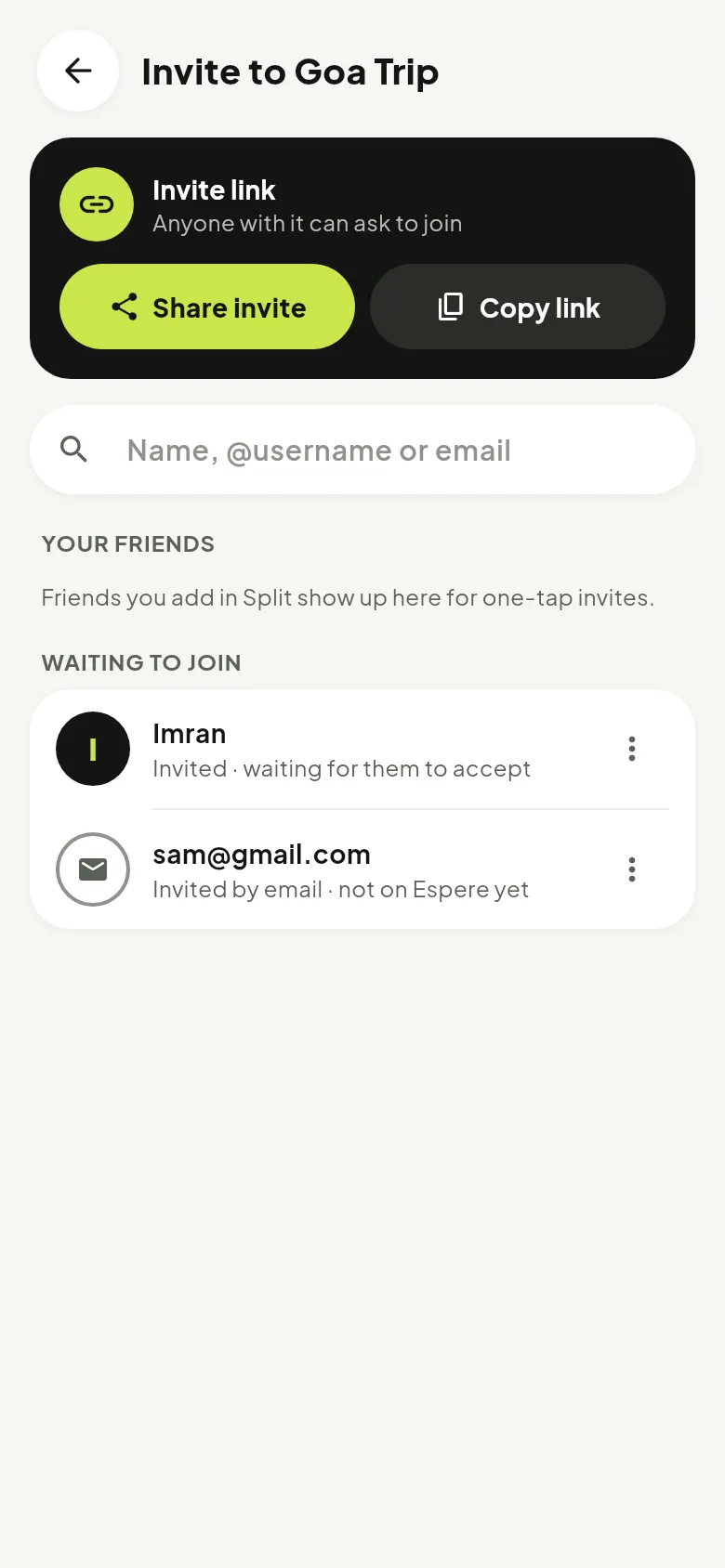
Send the group link on WhatsApp, search friends by @username, or invite by email. You can see who has not joined yet, and resend or cancel.

  • Invite link that opens the app
  • Add friends you already have in one tap
  • Pending invites you can resend or cancel
Espere invite people screen
And also

Small things that make it yours.

Works offline

Everything is saved on your phone first and syncs the moment you are back online.

Home-screen widgets

See this month’s spending and add an expense without opening the app.

Daily reminders

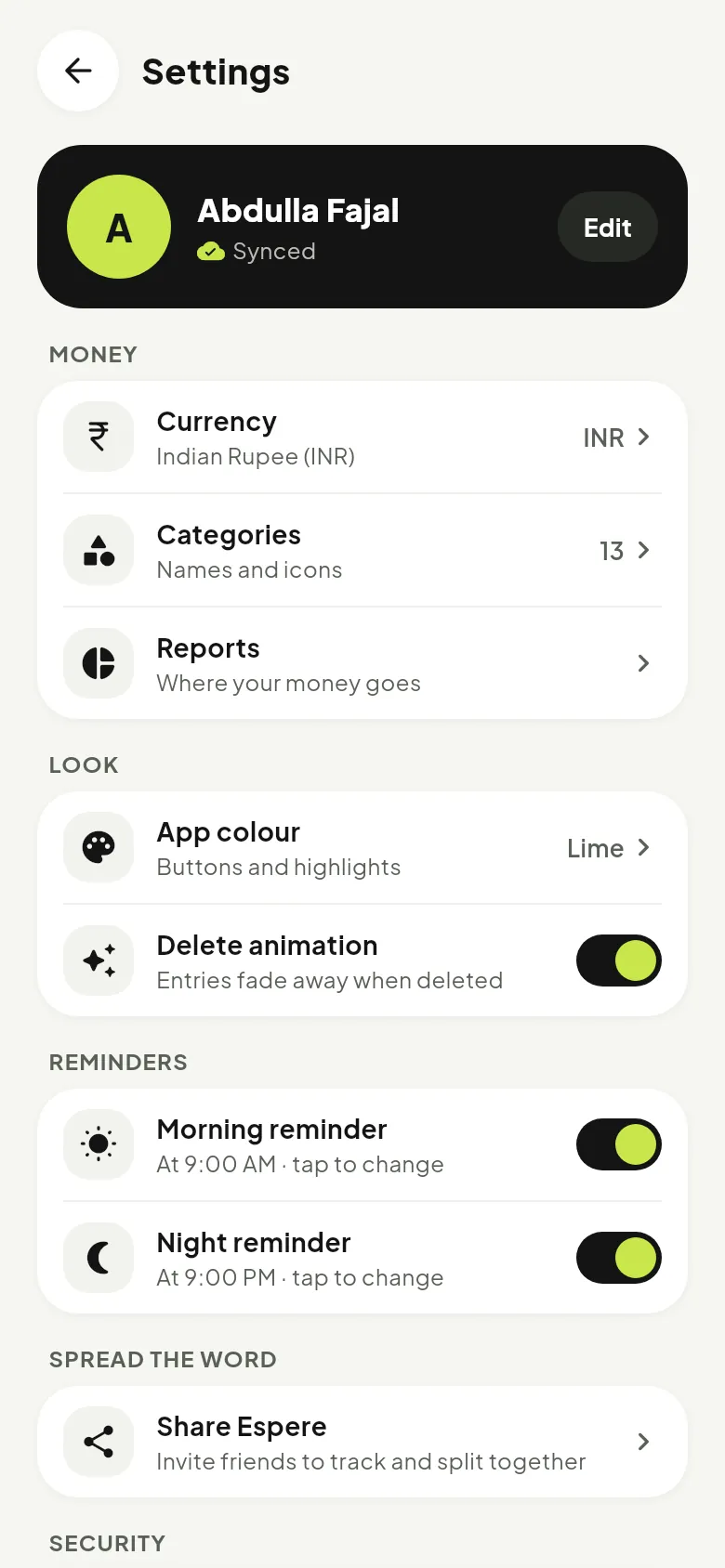
A morning and a night nudge at the times you choose, so nothing is forgotten.

Your colour

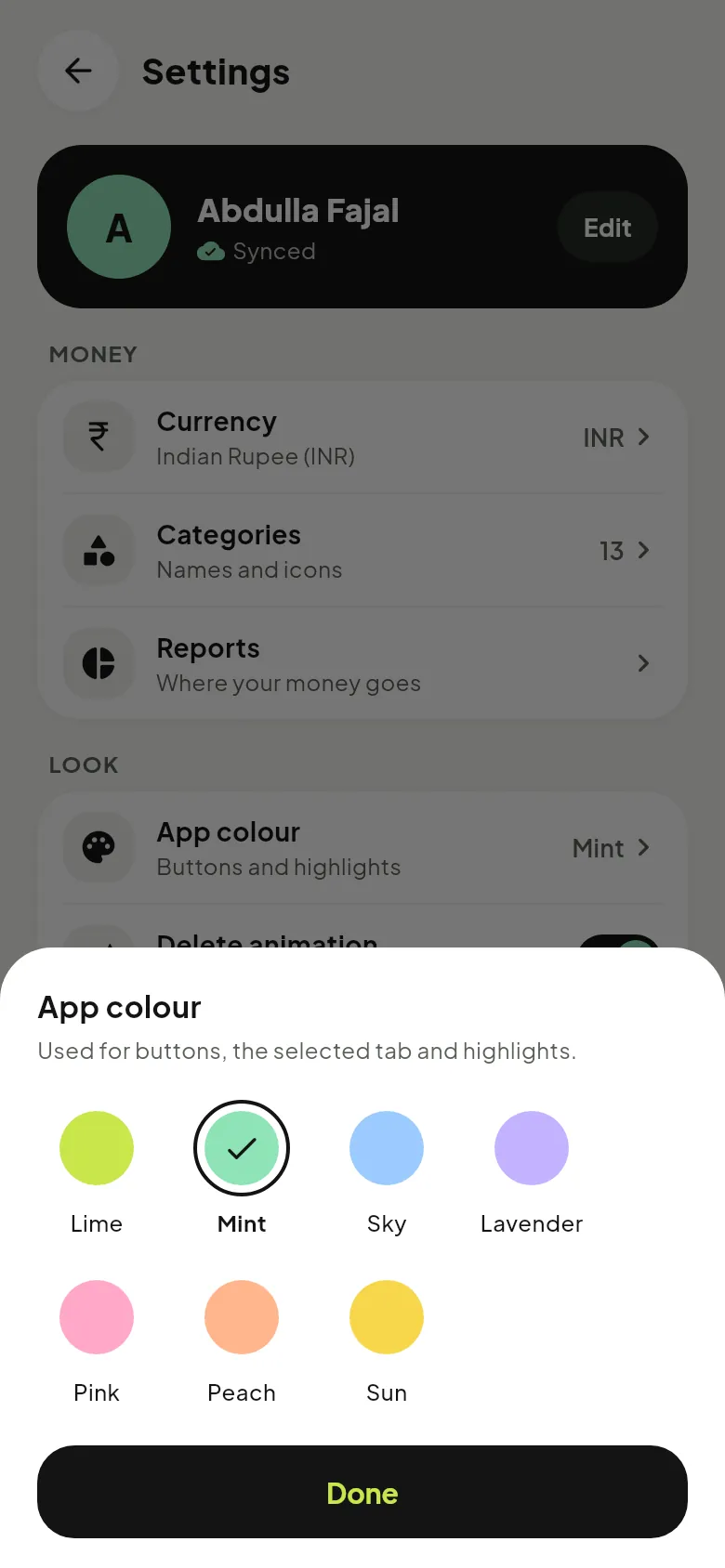
Lime, Mint, Sky, Lavender, Pink, Peach or Sun for every button and highlight.

Feels alive

Springy buttons, gentle vibration and a delete animation you can turn off.

Your currency

Rupee, dollar, euro, pound or Pakistani rupee, shown everywhere in the app.

Private by design

No ads, and your data is never sold to anyone.

Open source

The app and this website are on GitHub for anyone to read.

Get Espere

Install in a minute.

Espere is free. Download the app straight from this site; new versions install over the old one and keep your data.

  1. 1Download espere.apkTap the button on your Android phone.
  2. 2Allow the installIf Android asks, allow installs from your browser for this file.
  3. 3Open and sign upCreate your account with email, then start adding.
  4. 4Updating?Download again from here. It installs over the old version.